IMD TV

Free · Open source · Android TV

Live TV, films
and series.
One app.

IMD TV plays your own Xtream or M3U playlist with a TV guide that keeps up with the remote, six themes, and no ads, tracking or paywalls.

For Android TV and Google TV 8.0 or newer.

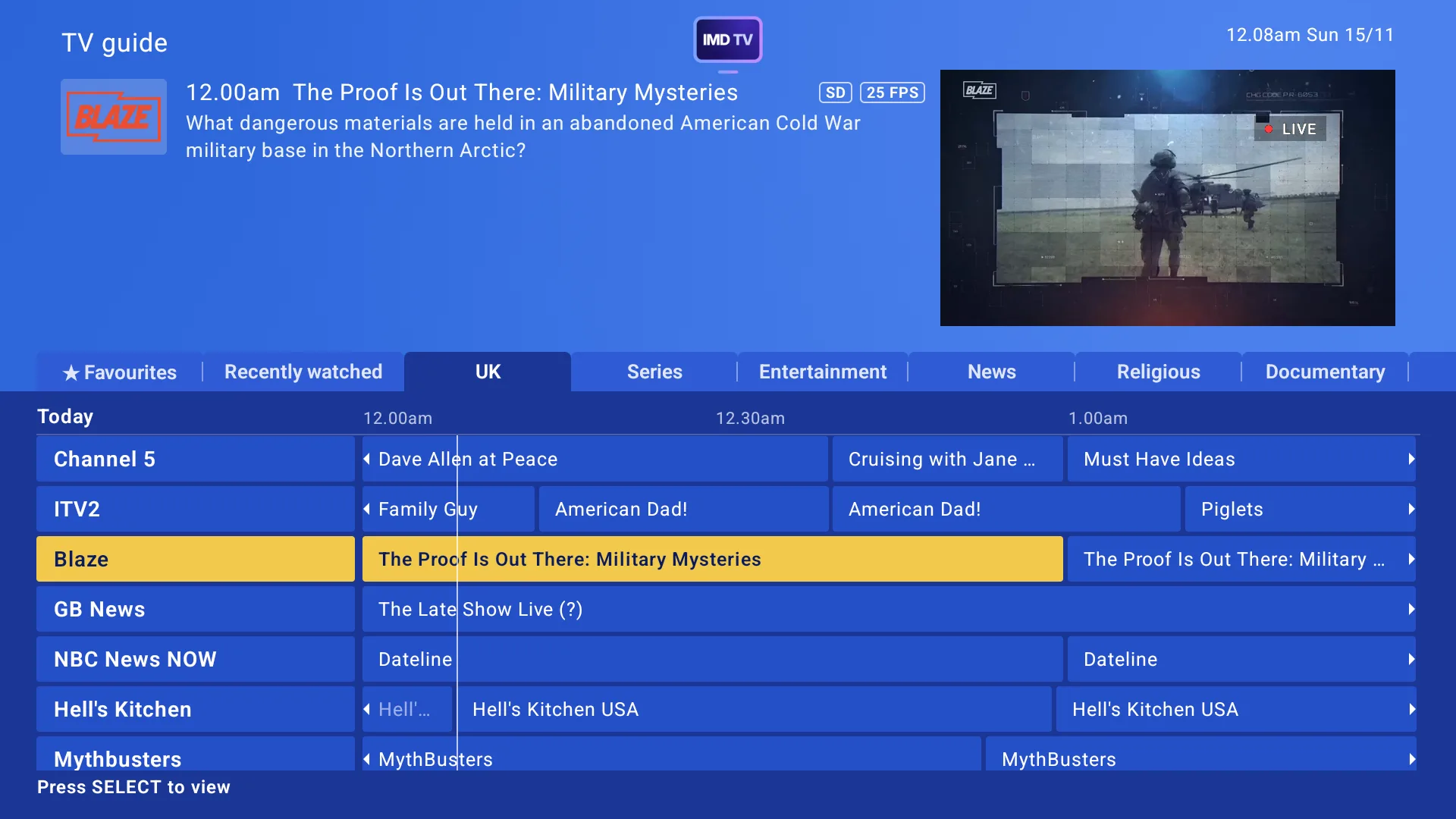
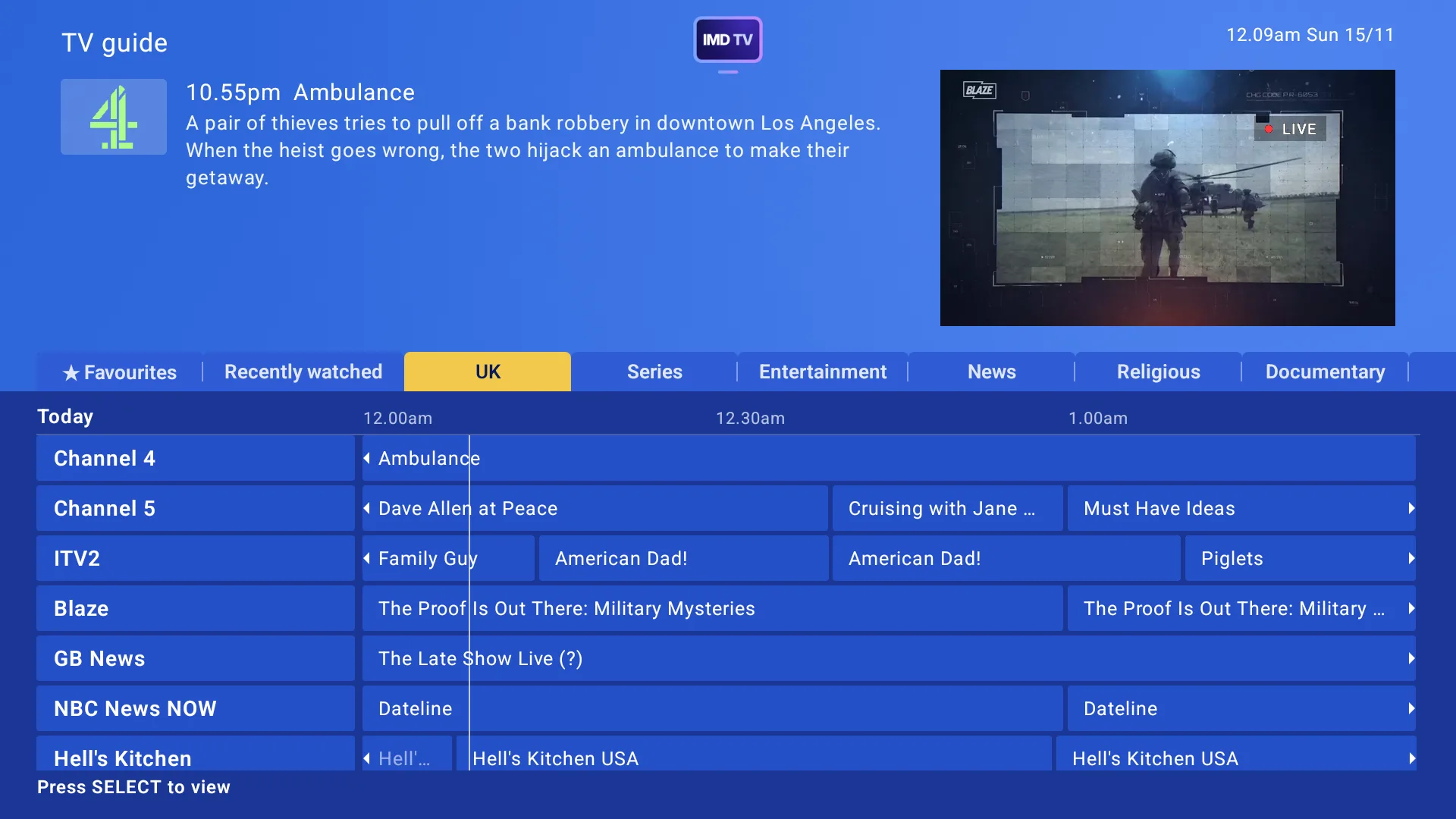
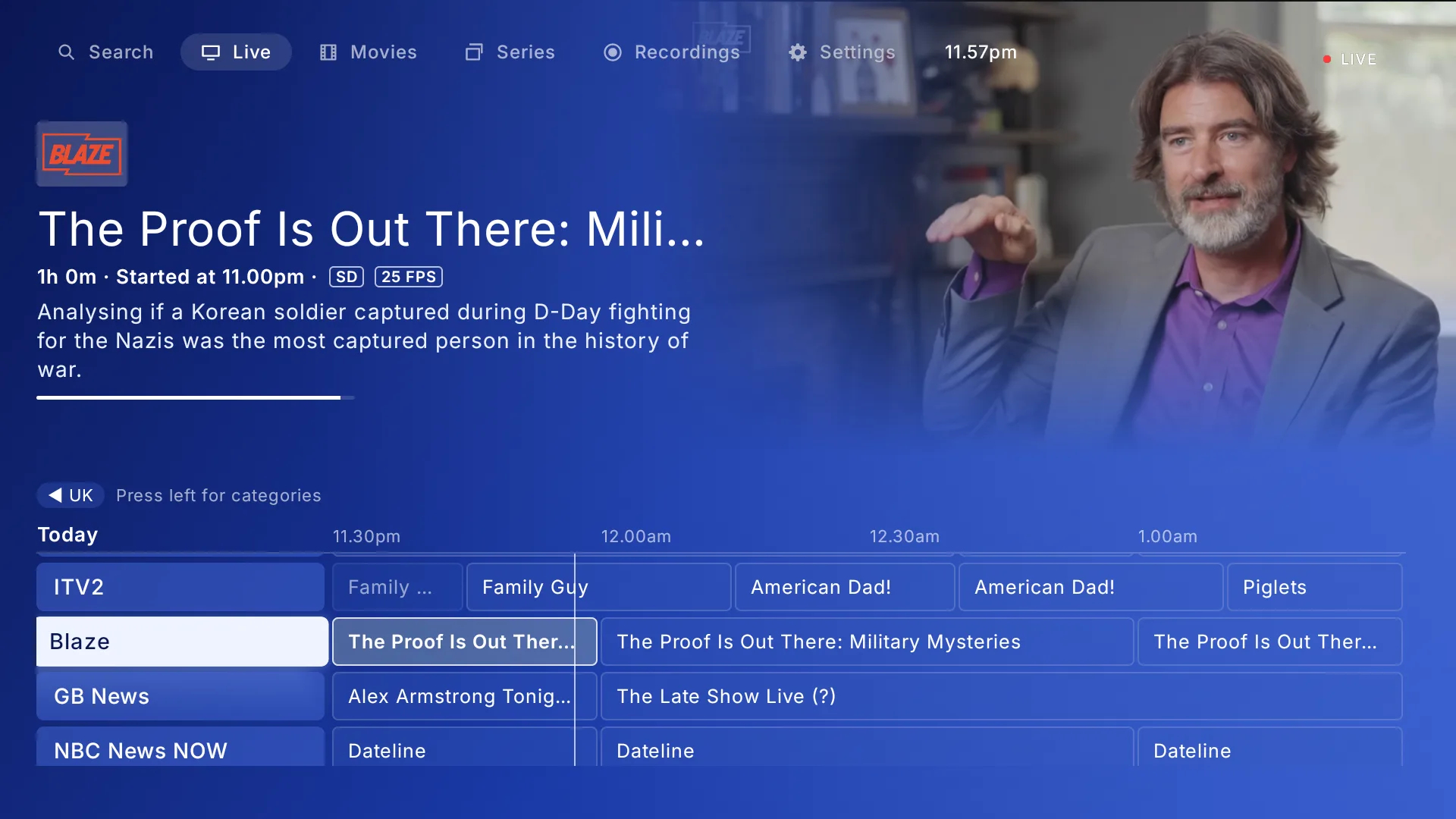
The IMD TV guide in the Celestial Glass theme: a channel's programme details above a grid of channels and programmes, with the channel previewing top right.

Why I built IMD TV

Complete, free, and fast.

IMD TV exists because there are limited free IPTV applications that offer a complete feature set without requiring a licence, subscription or locking essential functionality behind a paywall. Most of the open-source alternatives available today sit outside the Android ecosystem, and more specifically, Android TV. IMD TV was built to address that gap, bringing a fully featured, open-source IPTV application to the platform.

Speed is the primary focus of IMD TV, and it's something that has influenced every part of its design. Watching TV, browsing the EPG, switching channels and searching through playlists should all be quick and responsive, regardless of the device you're using. These are fundamental parts of the viewing experience, and they shouldn't be accompanied by the delays that have become commonplace in other IPTV applications.

The rest follows from that. Every screen is designed for the remote first. It works with any provider's Xtream login or M3U link rather than one service. Your logins stay encrypted on your box, and nothing about what you watch leaves it. The best part? It's tested and developed on budget streaming sticks first, not just high-end boxes.
Key features

Everything, one remote away.

Keep watching while you browse

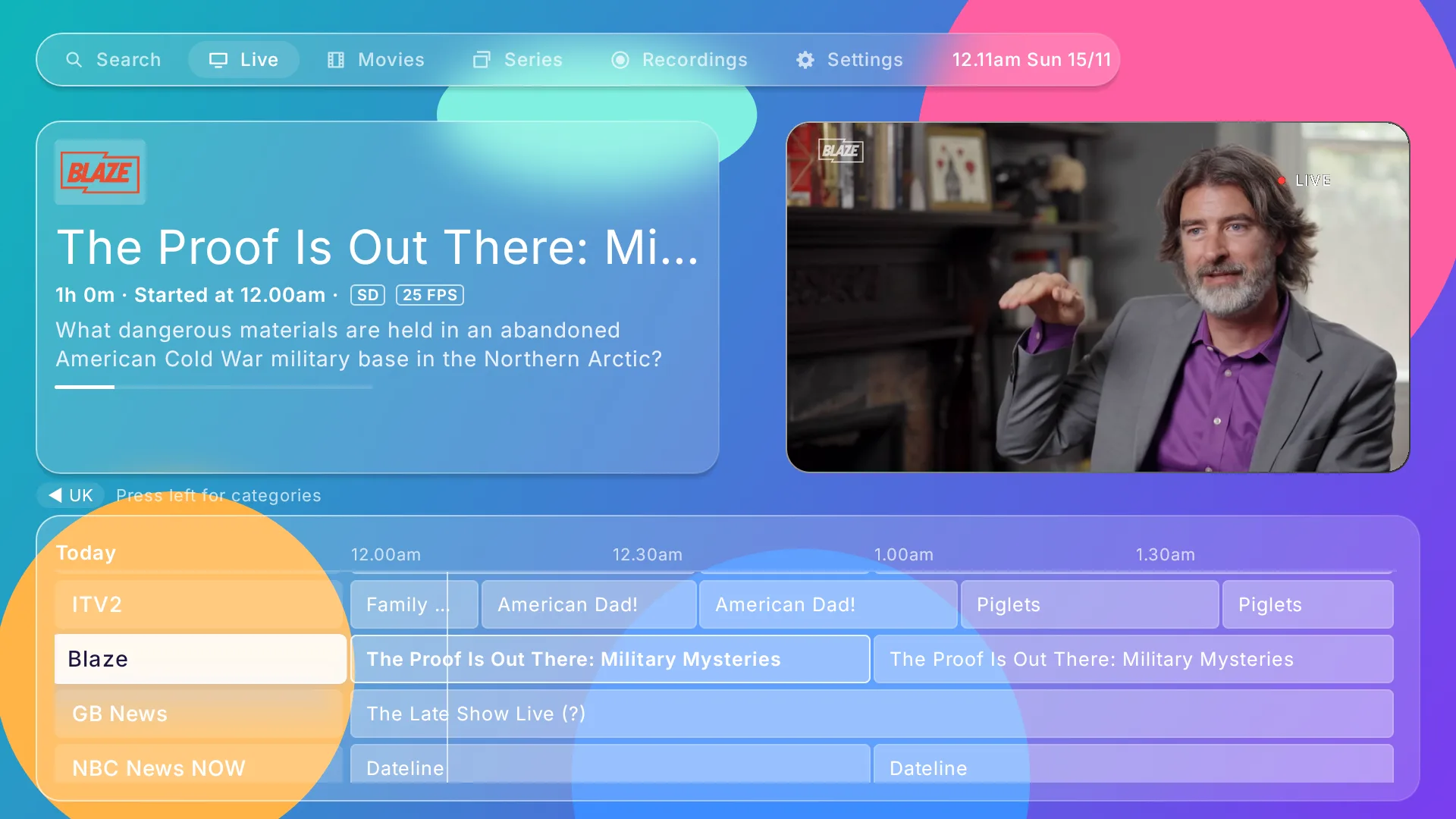
Leave full screen and the channel carries on in the guide's preview while you look for what's next.

  • Preview channels as you scroll, or with one press of OK
  • Opens on the last channel you watched
  • Dolby and DTS sound on any box with the built-in decoder, or passed straight to your TV
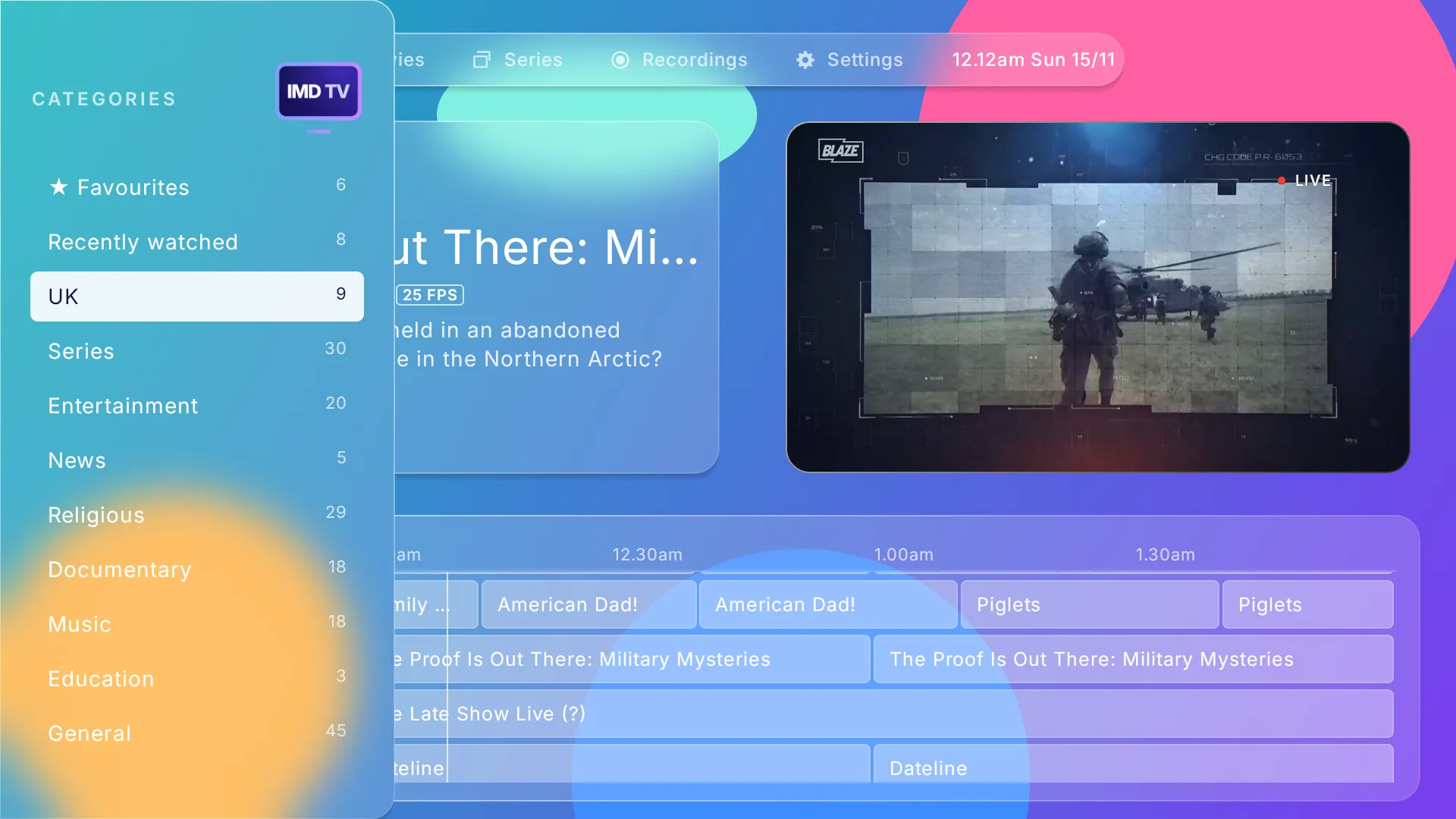
The guide in the Liquid Glass theme with Blaze playing in the preview window

A guide that fills itself in

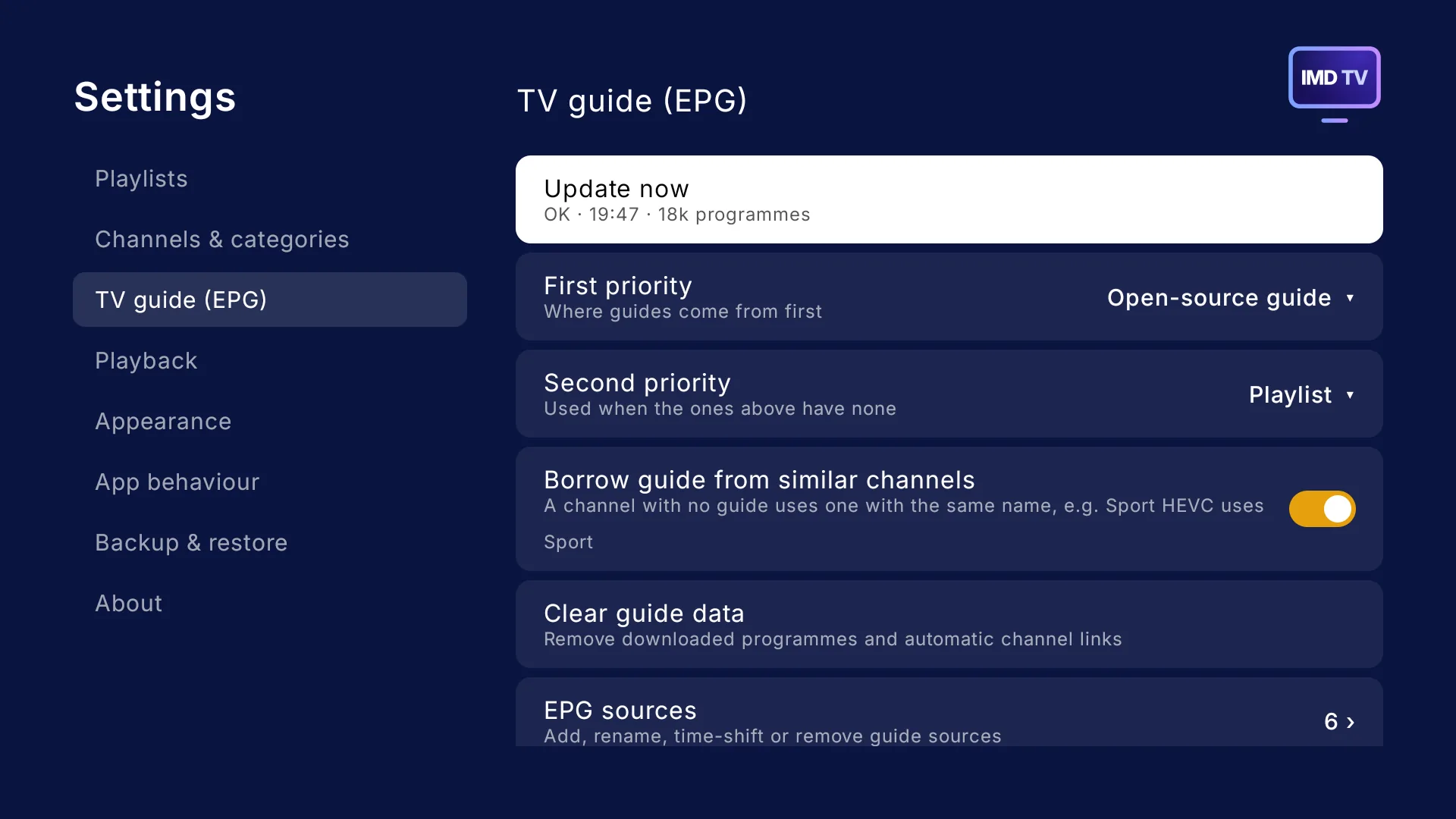
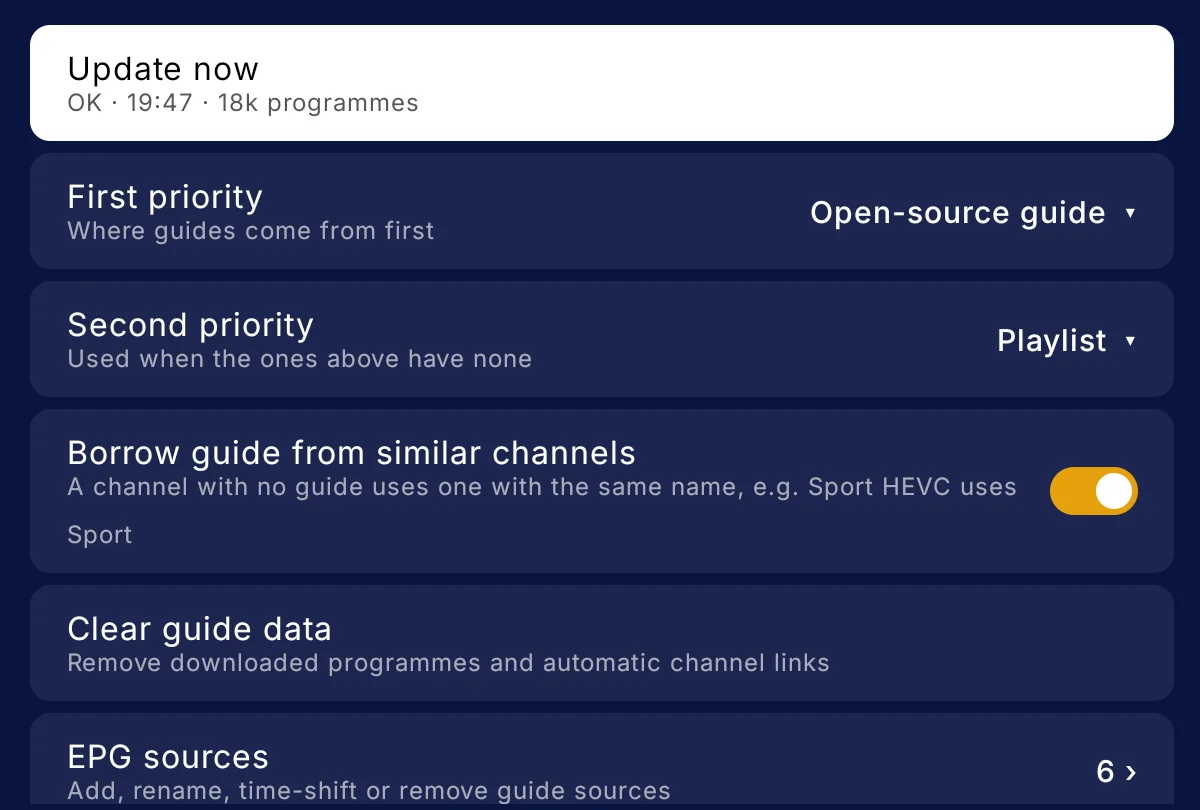
Seven days of programmes, with free open-source guides for the channels your provider leaves blank. You can even choose EPG priority.

  • Borrows a guide from similar channels: “Sport HEVC” uses “Sport”
  • “Use guide from…” gives any channel another channel's guide
  • Add your own guide sources and shift each one's times
  • Updates by itself: on a timer, when the app opens, or when your playlist changes
TV guide settings: update now, guide priorities, borrow guide from similar channels, and guide sources

Your channels, your way

Big playlists become manageable: keep what you watch, hide the rest.

  • Favourites, and categories of your own: copy channels in, place them above or below the provider's
  • Rename channels and your own categories
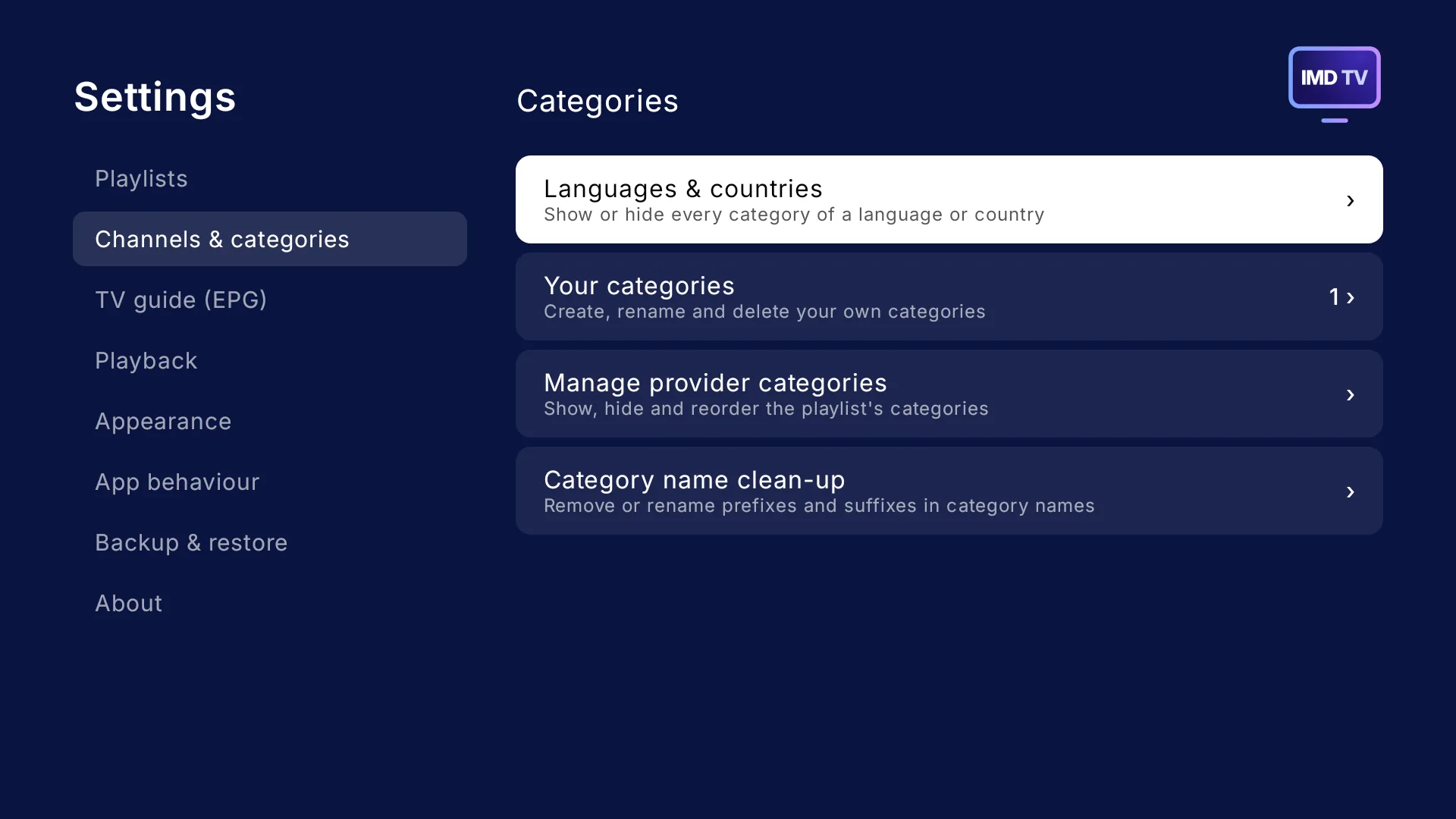
  • Hide and reorder categories, or hide a whole language or country at once
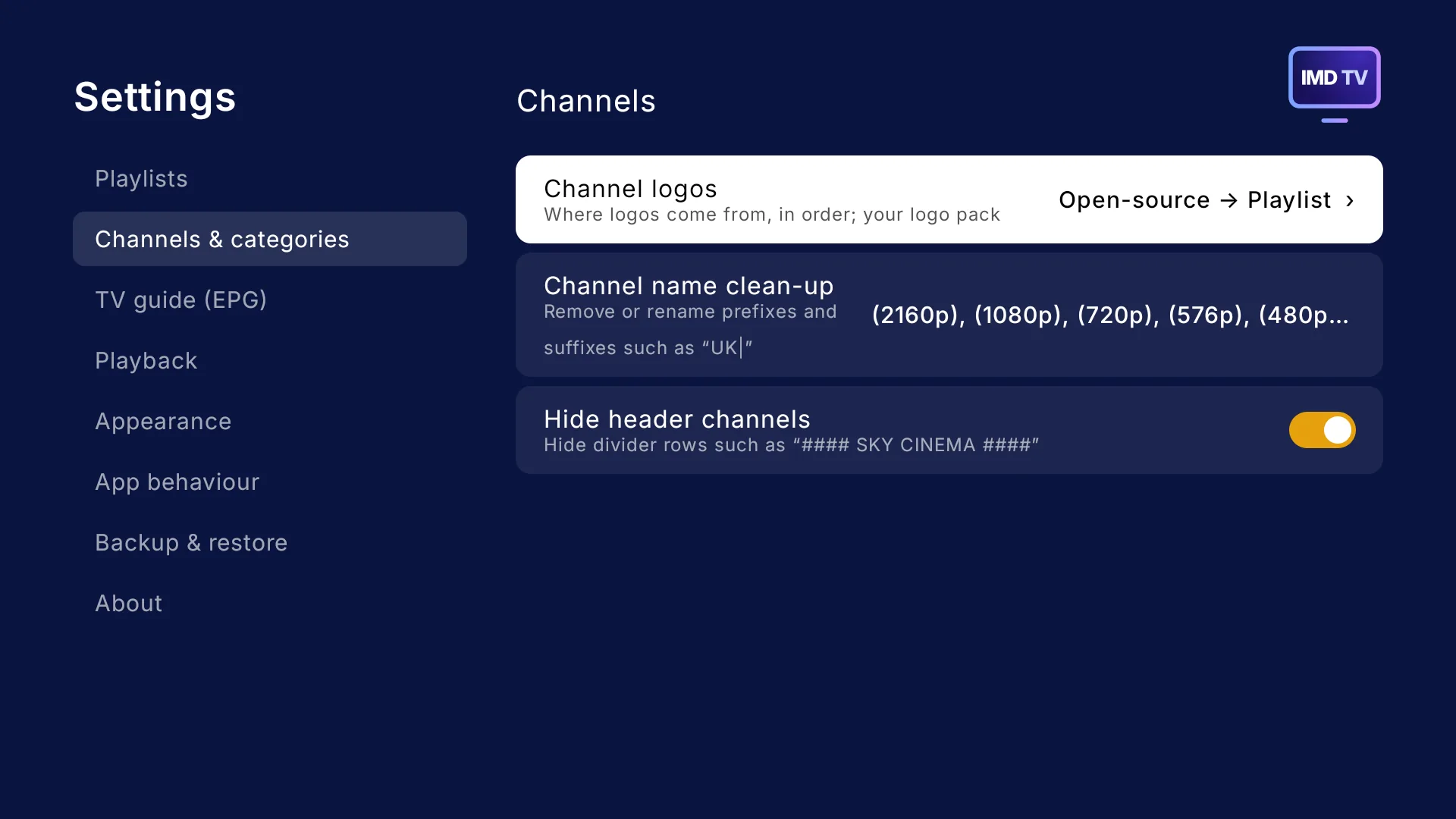
  • Clean up names: remove prefixes and suffixes such as “UK|” – you can even hide divider channels
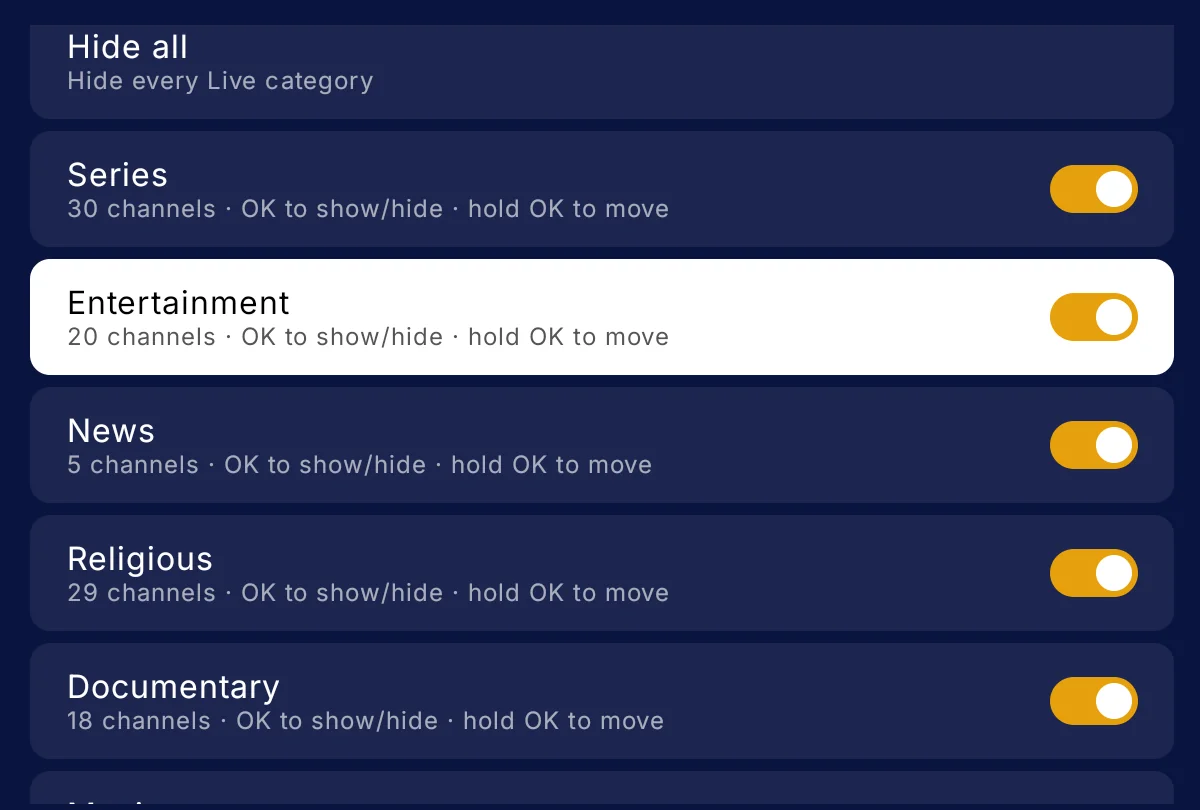
Category settings: each category with its channel count and a show or hide switch

Movies and series

Posters, seasons and episodes, and resume where you left off.

  • Subtitles in your language, when the film or episode has them
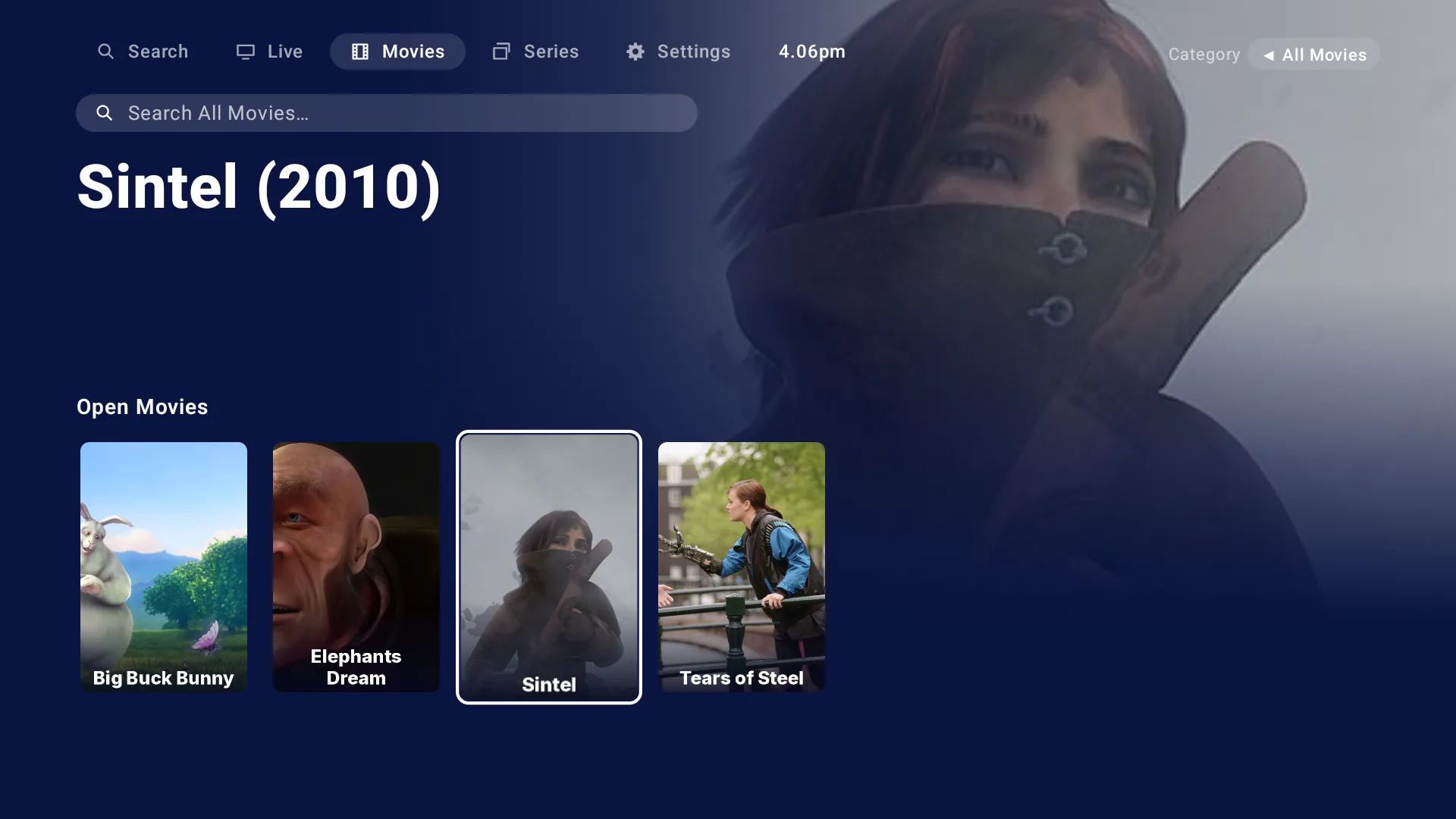
Movies screen: a row of posters with the focused film's artwork behind

Search everything

One search for channels, films and series, with results as you type. Or search within a single film or series category.

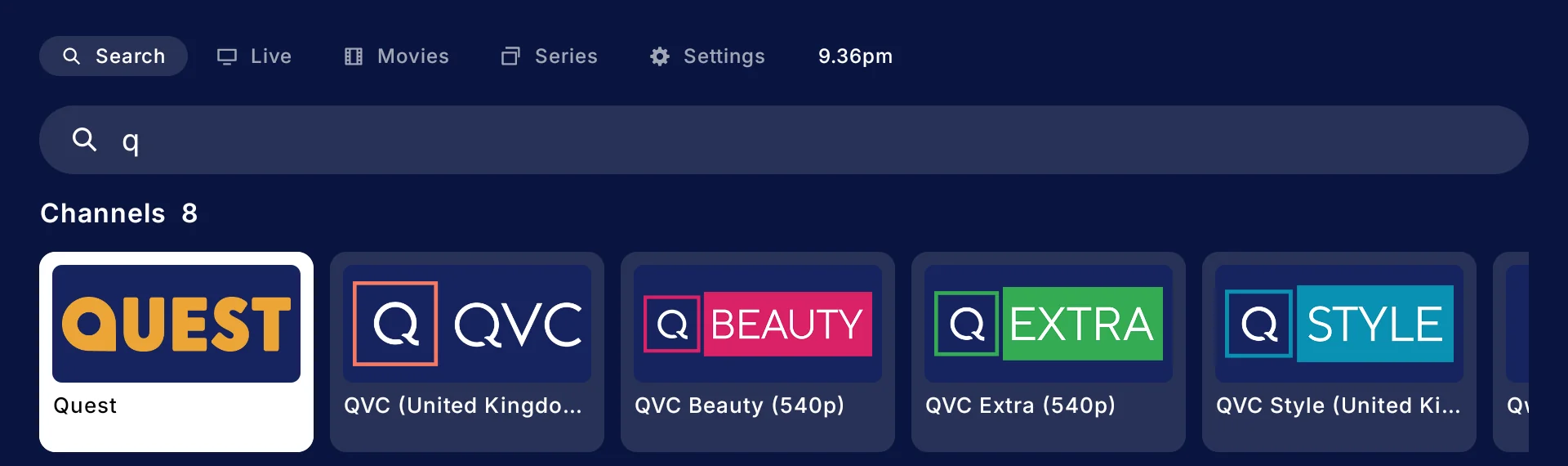
Search for the letter Q: channel results such as Quest and QVC, each with its logo

Record live TV

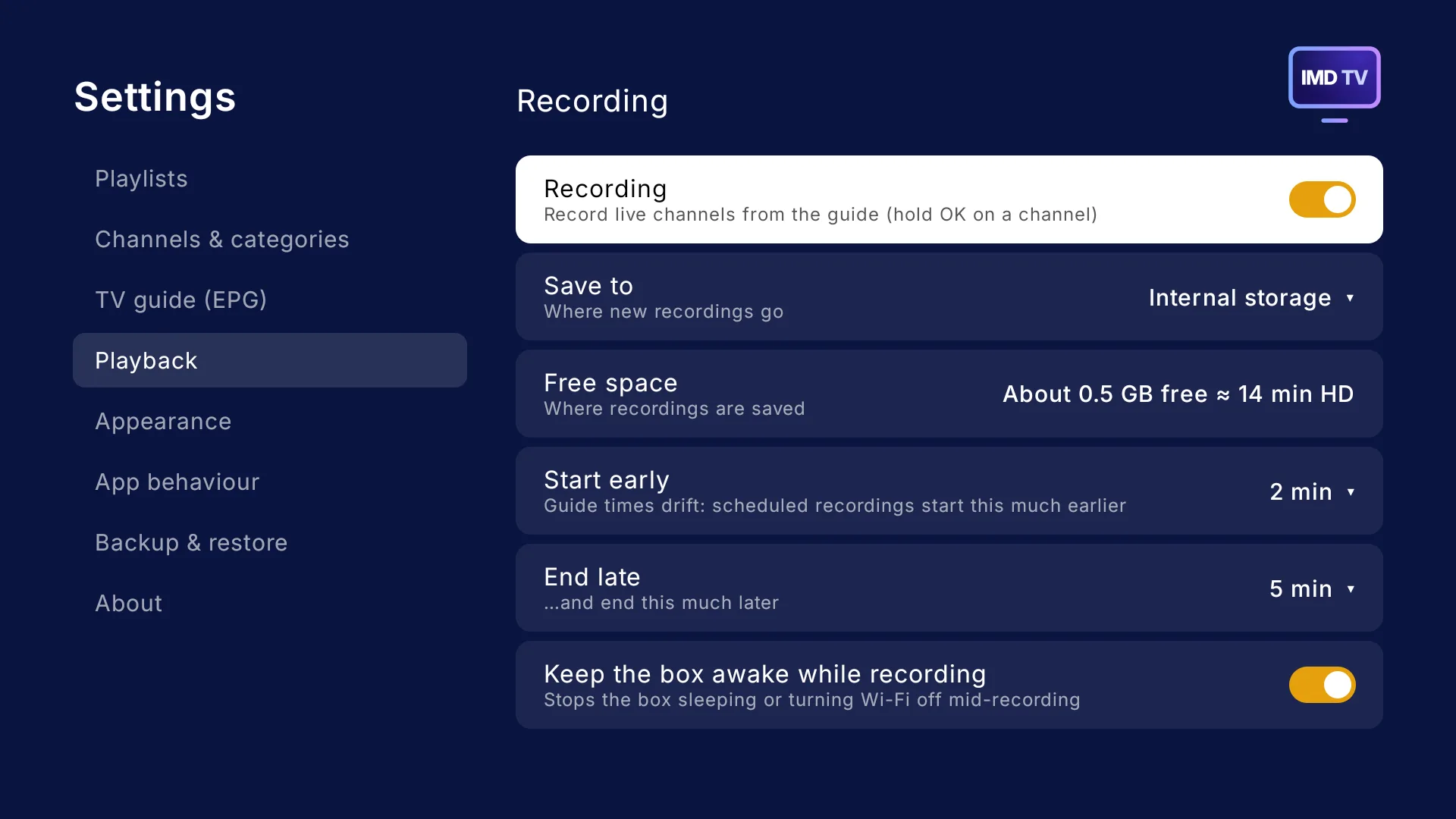
Hold OK on a channel to record what's on now, or pick a later programme from its guide.

  • Save to the box, a USB drive or a network share
  • Starts a little early and ends a little late, because guide times drift
  • Keeps the box awake while it records
  • Watch your recordings from the Recordings tab
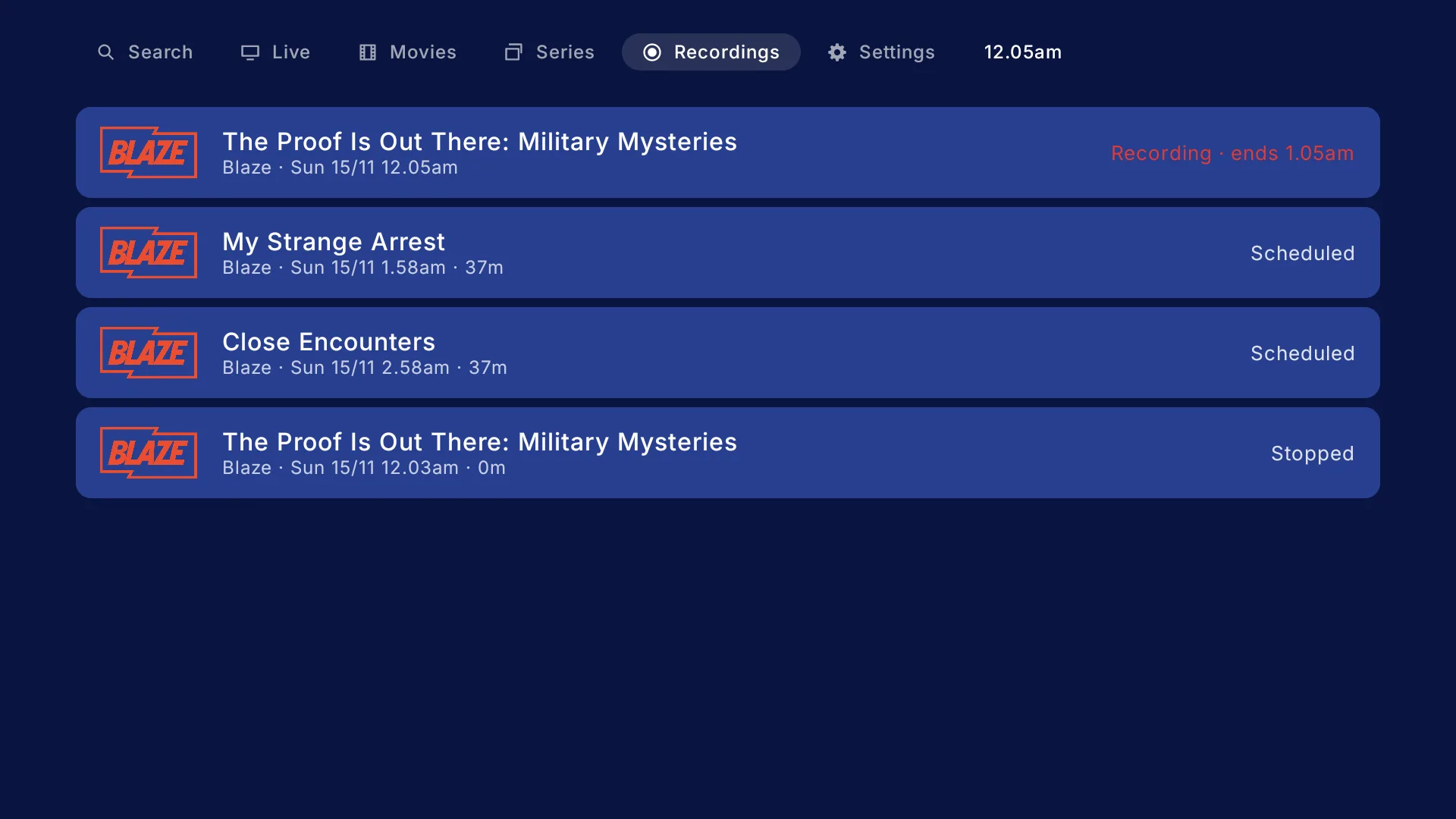
Recordings tab: a Blaze programme recording now, two scheduled and one finished

Set it up your way

Settings, TV guide: update now, guide priorities, borrow guide from similar channels, clear guide data and guide sources
TV guide
Settings, Channels: channel logo order, channel name clean-up and hide header channels
Channels
Settings, Categories: languages and countries, your categories, manage provider categories and category name clean-up
Categories
Settings, Recording: recording switch, save to, free space, start early, end late and keep the box awake
Recording
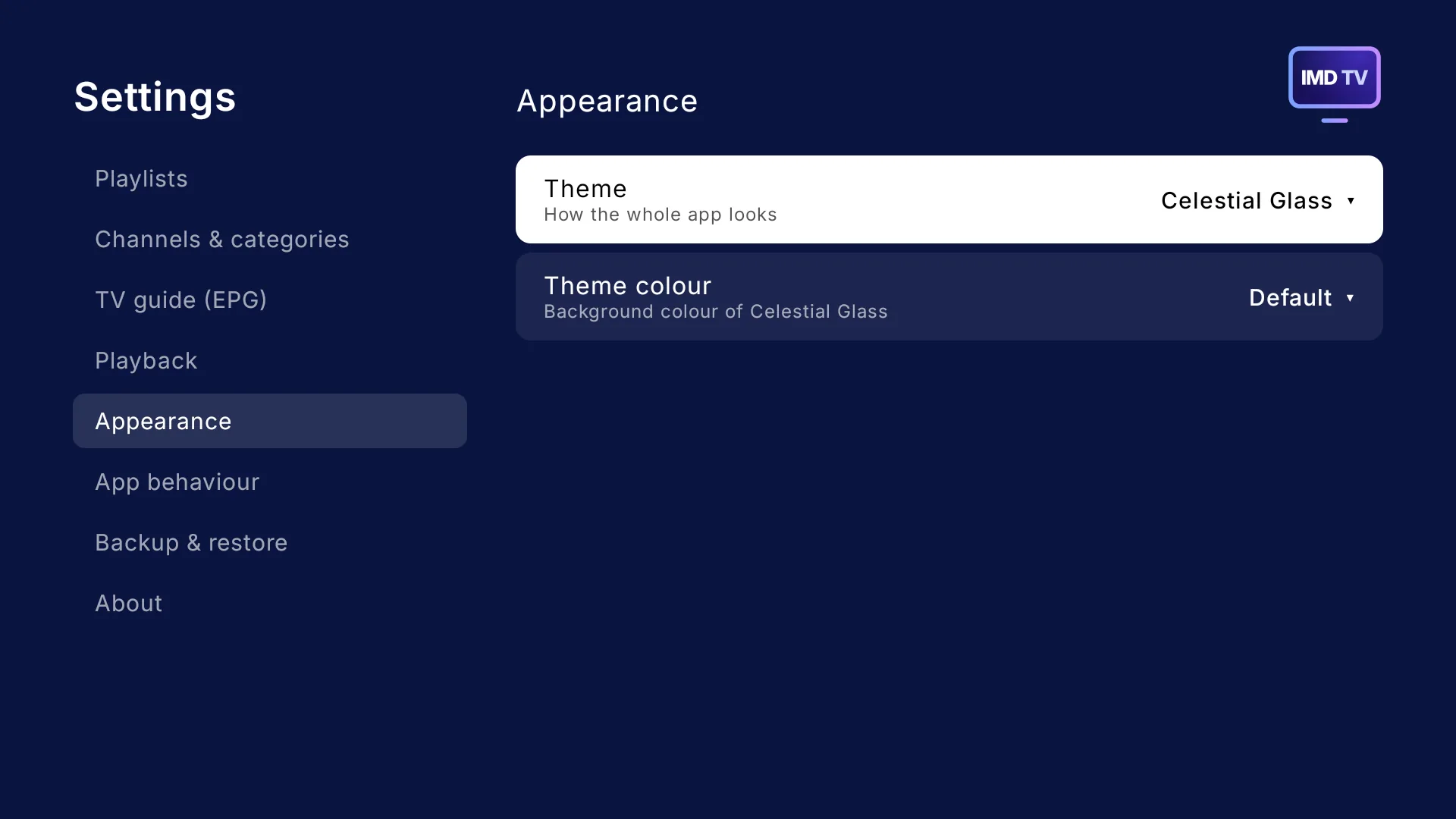
Settings, Appearance: theme and theme colour
Appearance
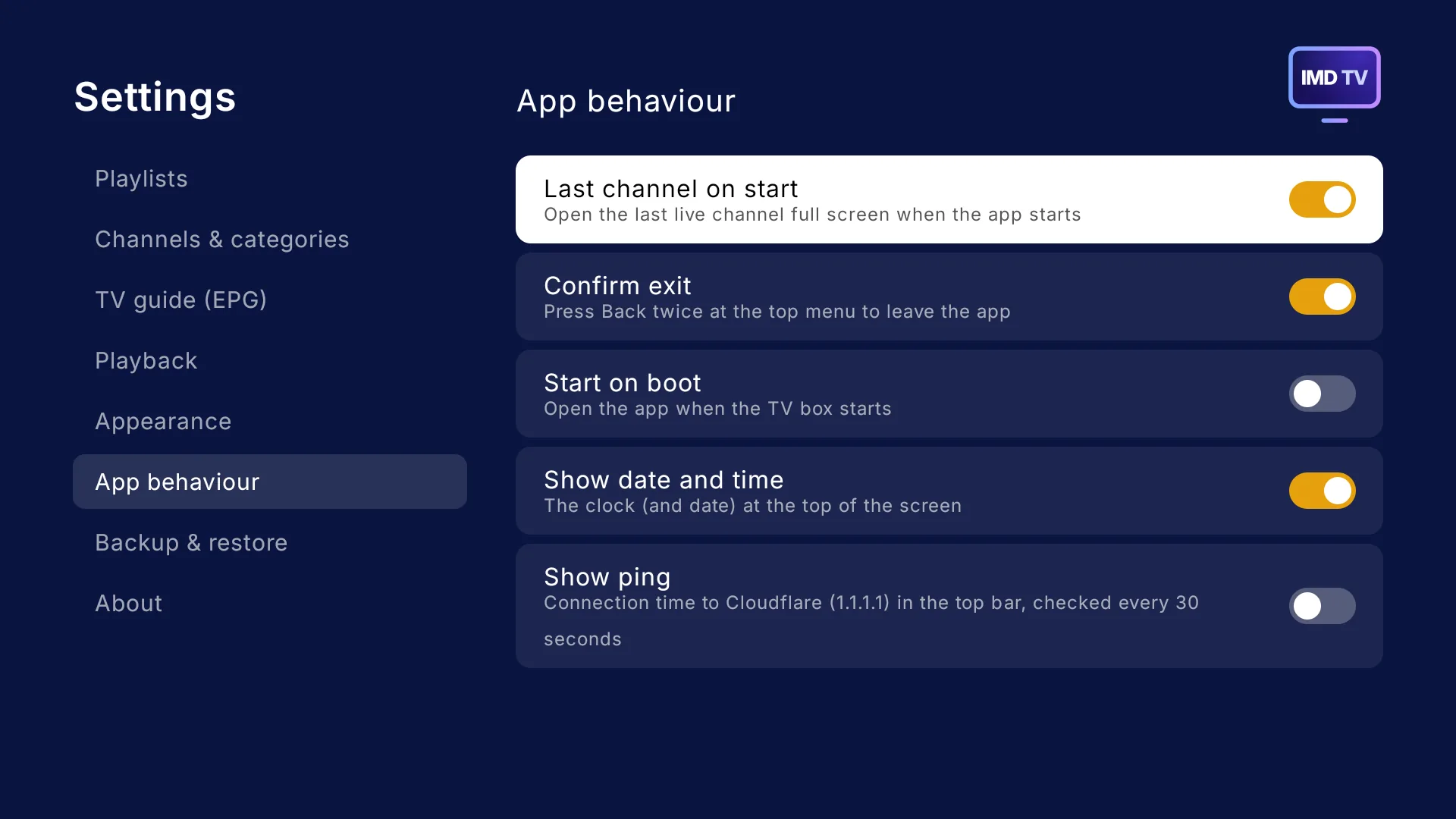
Settings, App behaviour: last channel on start, confirm exit, start on boot, show date and time, show ping
App behaviour

And all of this, free

  • The ability to add several playlists, not just one. Choose between Xtream logins and M3U links, and switch between them in Settings
  • Channel logos from open-source sets, your playlist or your own logo pack. You choose which source channels use first, second or third
  • The ability to record shows to local storage, external storage or network storage
  • Backup and restore, with logins never written to the file
  • The ability to start the application when your TV box starts
  • Six themes, some with colour choices
  • Recently watched channels, one press away
  • An open-source guide, built in – if you want it. No more creating your own guides
  • The ability to choose the priority of EPGs. Want channels to choose the open-source guide, or your playlists? You decide
  • Keep up to 14 days of guide, past and upcoming
  • Plays HLS, DASH and MPEG-TS streams, with a custom user agent per playlist if your provider needs one
  • An on-screen clock and an optional connection ping

Themes

Six looks. Your TV.

From frosted glass to a classic games-console menu, each theme changes the whole app, not just its colours.

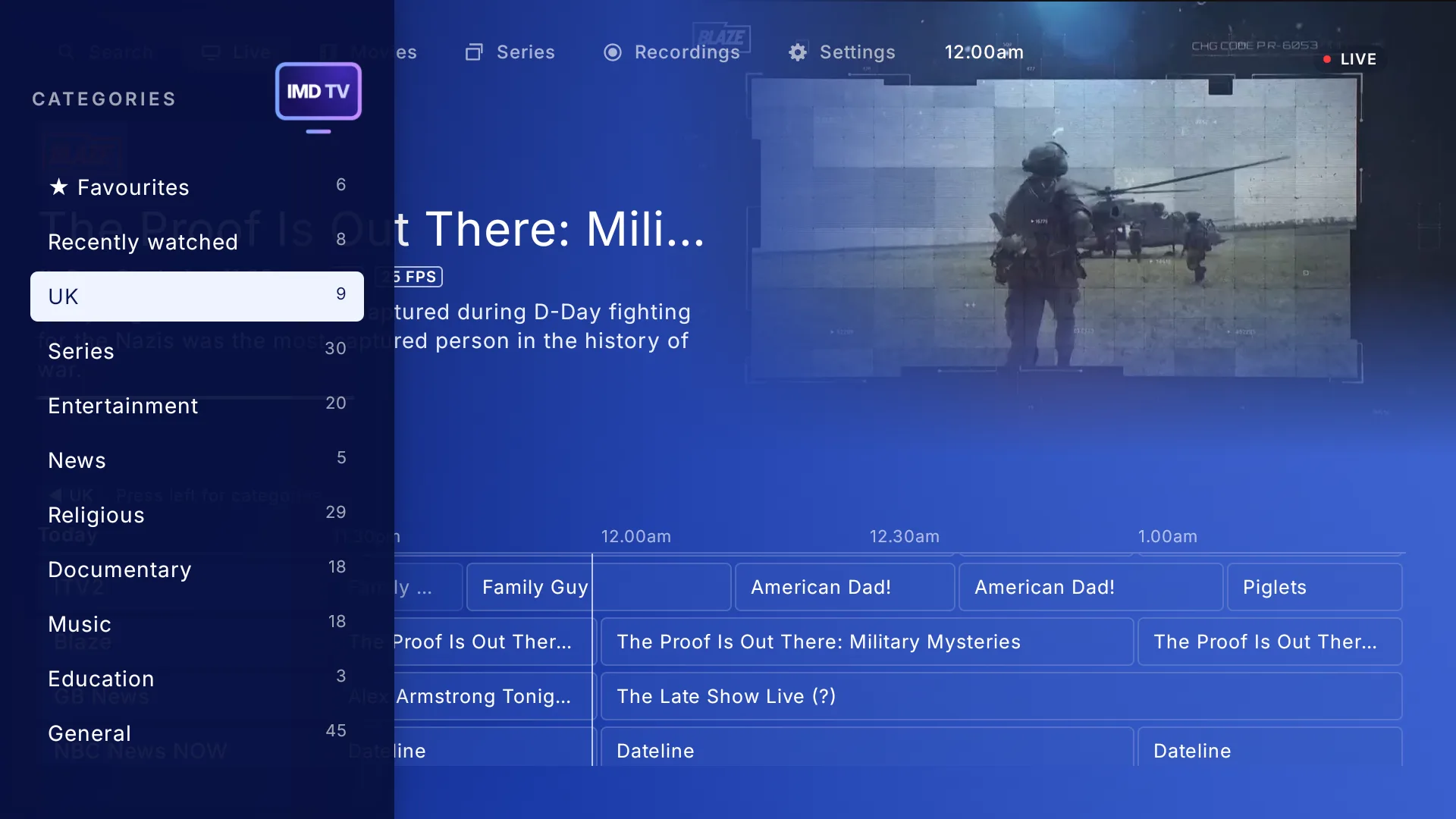
Celestial Glass theme: TV guide on a deep blue backgroundCelestial Glass theme: the live TV categories
Celestial Glass
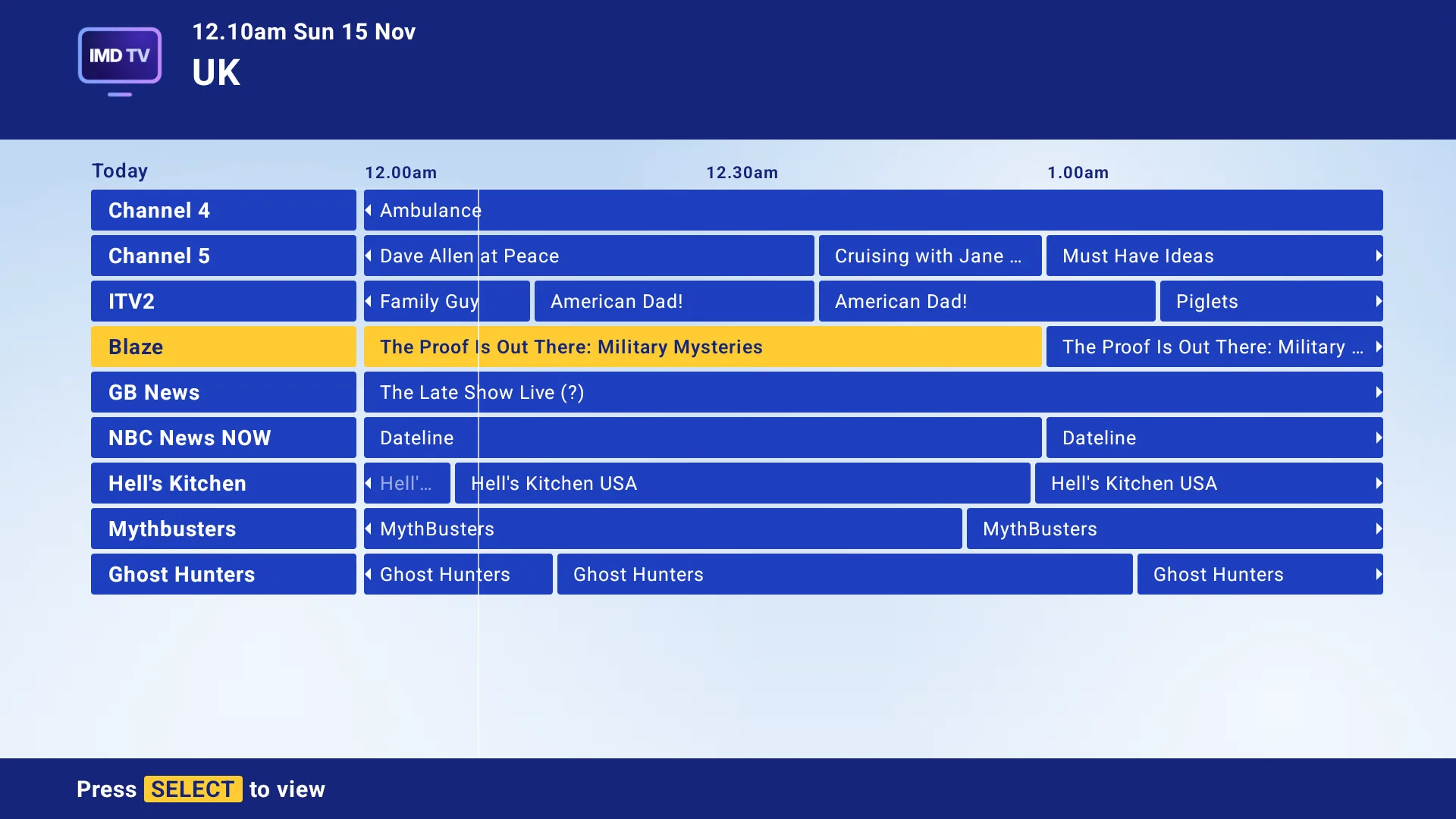
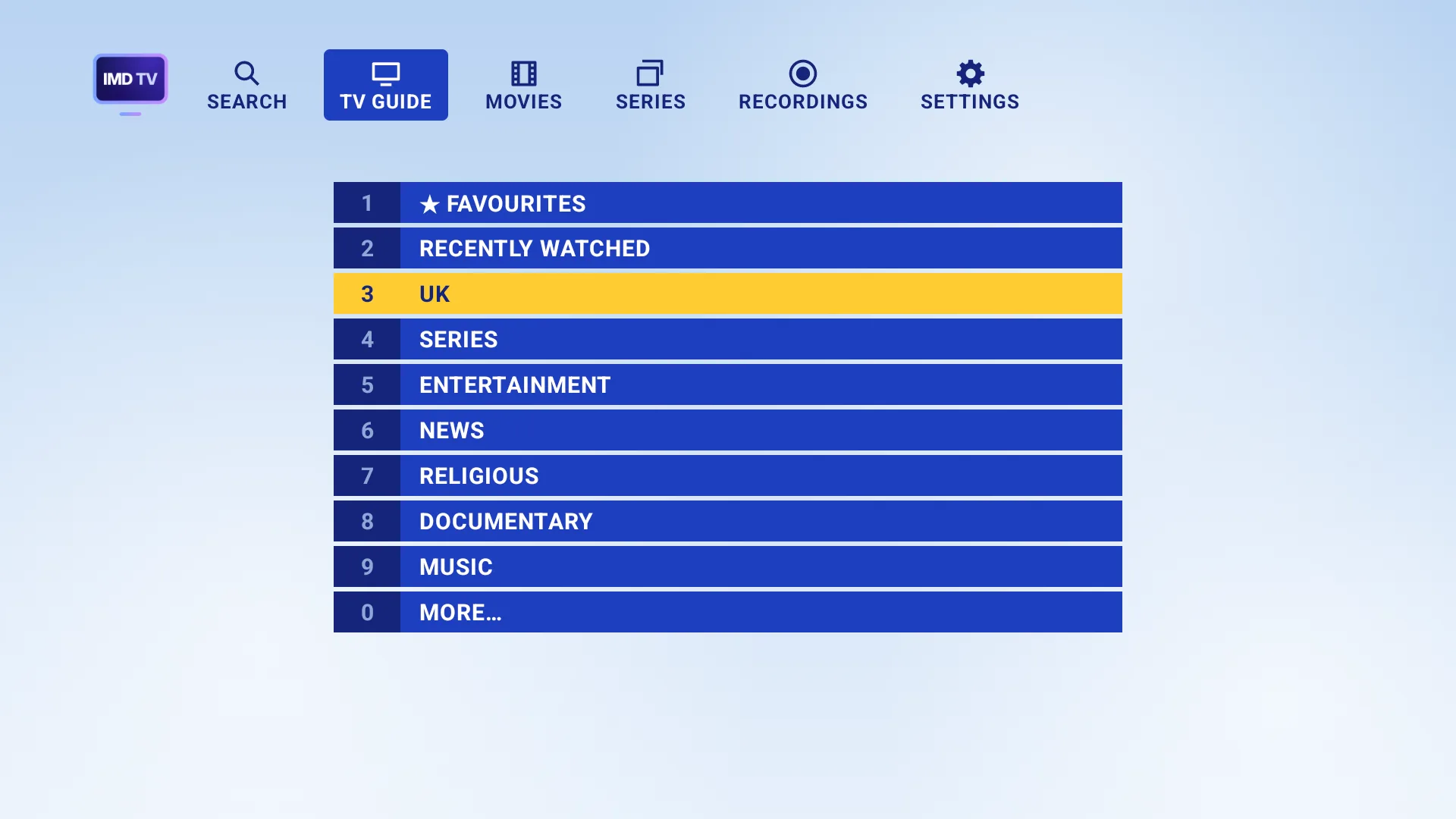
Celestial + theme: guide with category tabs and a yellow highlightCelestial + theme: the live TV categories
Celestial +
Celestial Retro theme: a full-width classic guide gridCelestial Retro theme: the live TV categories
Celestial Retro
Liquid Glass theme: glass panels over colourful shapesLiquid Glass theme: the live TV categories
Liquid Glass
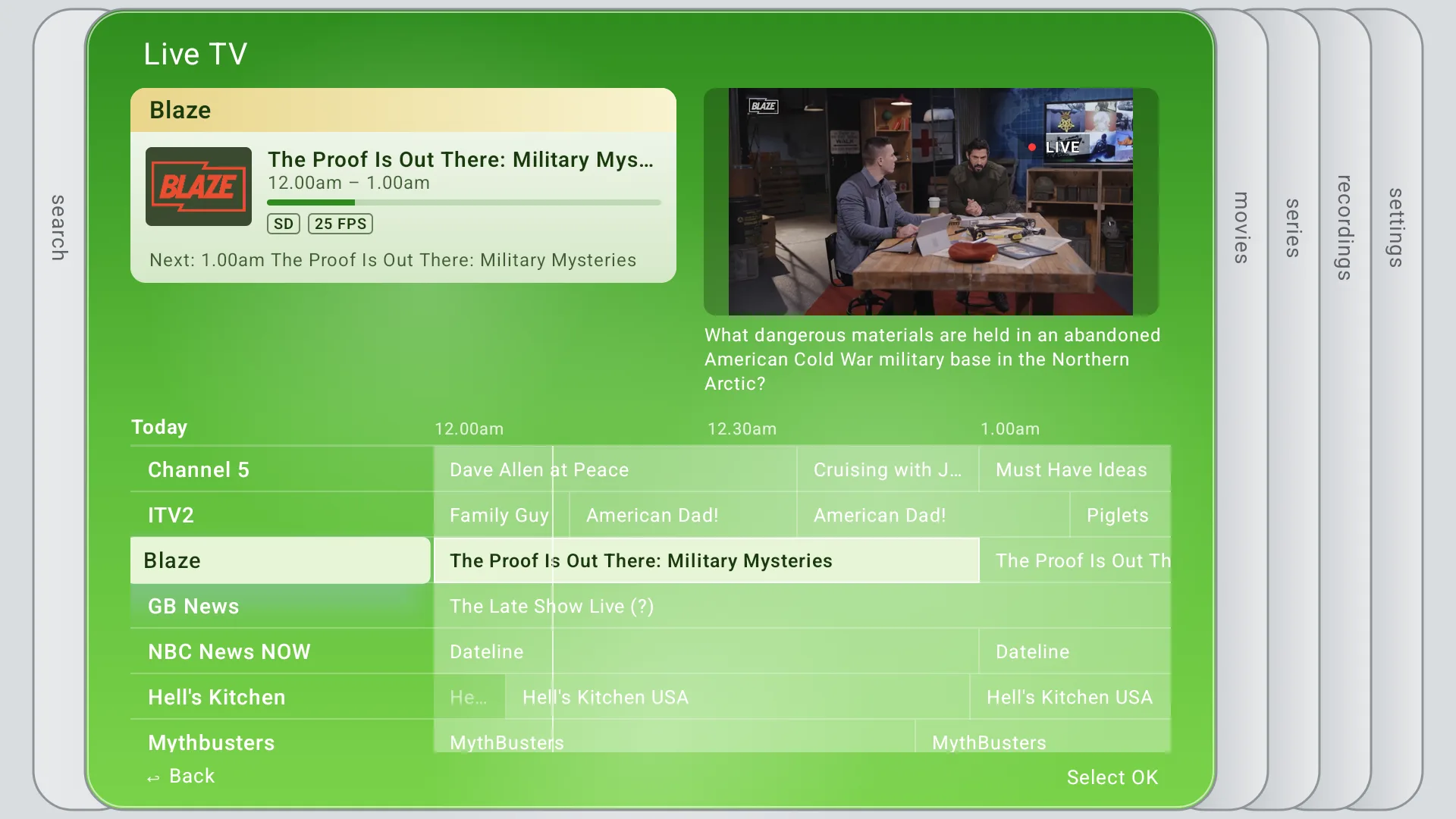
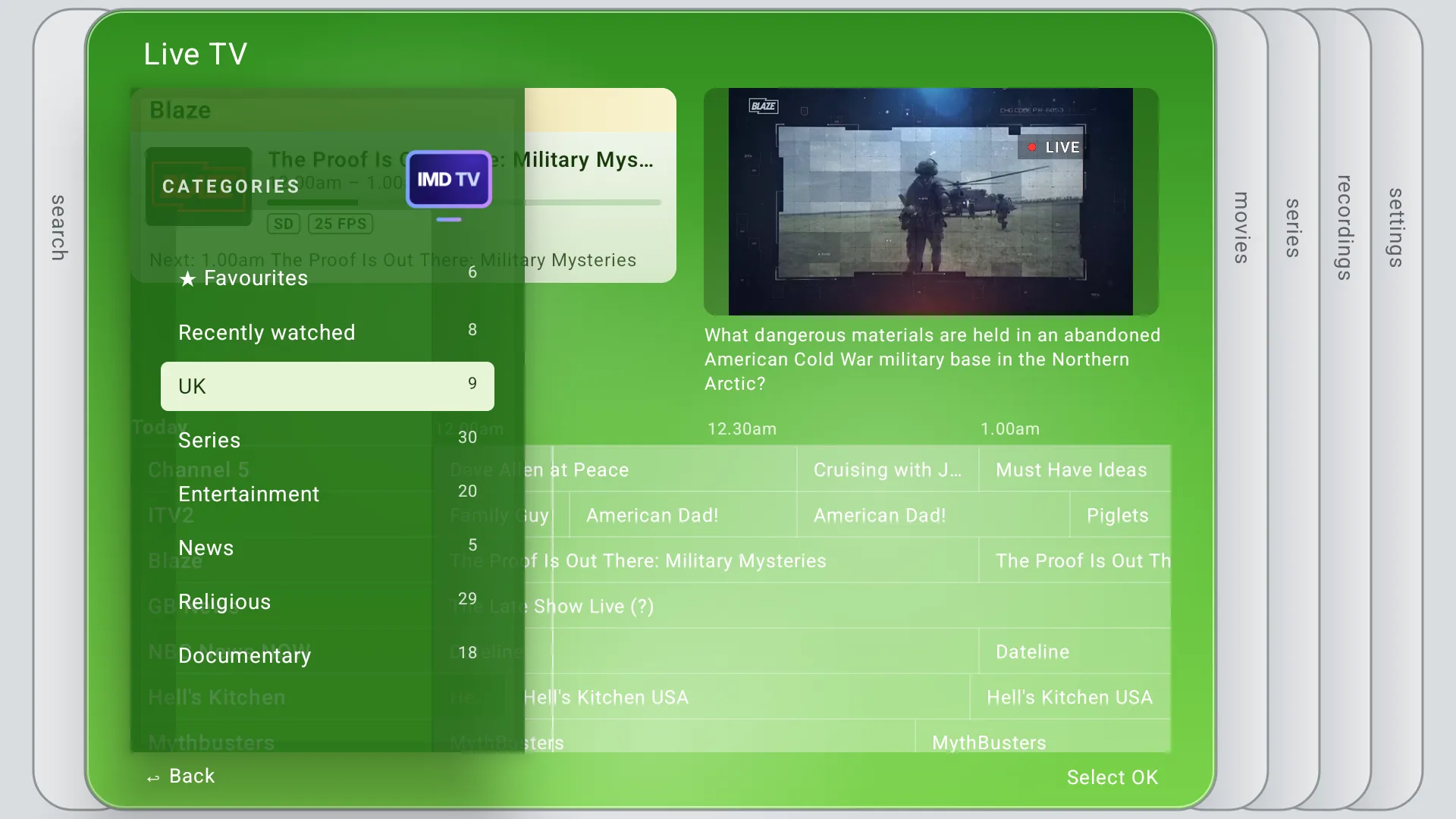
Xcube 360 theme: green blades with the guide in the centre bladeXcube 360 theme: the live TV categories
Xcube 360
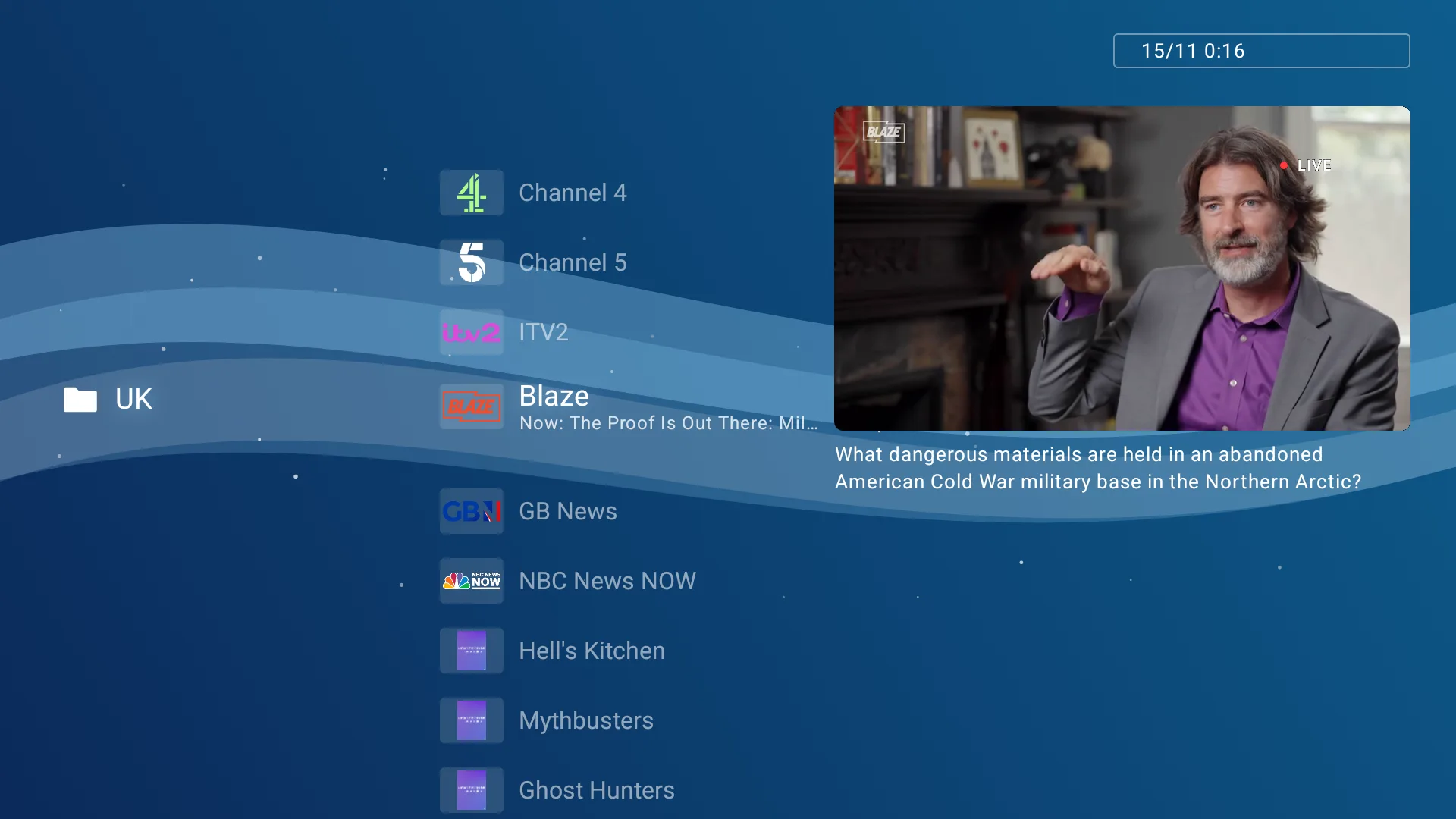
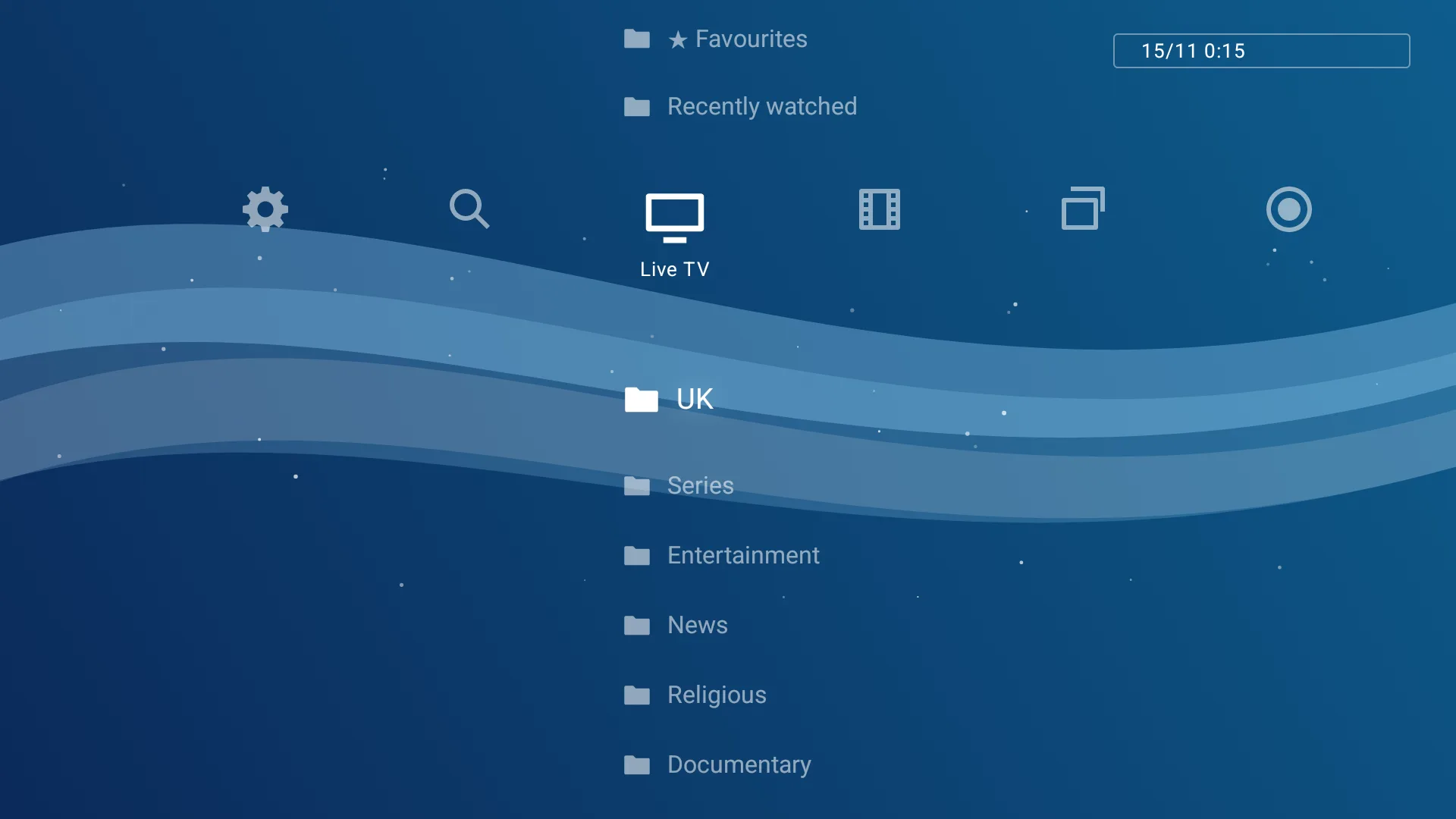
Gamestation theme: a wave background with a channel folder and previewGamestation theme: the live TV categories
Gamestation

Why IMD TV

Yours, not ours.

Free and open source

No subscription, no premium tier, nothing locked away. Read the code, change it, share it under the GPL-3.0 licence.

Private

No ads, no tracking, no accounts. Logins are encrypted on your box and never leave it except to sign in to your provider.

Made for the remote

Every screen works with a D-pad, and the guide stays quick even on budget streaming sticks.

Any provider

Use the Xtream login or M3U link you already have, from any provider. Add more than one and switch between them.

Easy to move

Back up your favourites, categories and settings to a file and restore them on a new box. Your logins are never written to it.

Built in the open

Report a bug or suggest a feature on GitHub, and see every change before it reaches your TV.

Get IMD TV

On your TV in minutes.

Option 1: Downloader (on the TV)

  1. On your TV, install the free Downloader app from the Play Store.
  2. Open Downloader, type the code 7573990 and press Go. When asked, allow Downloader to install apps, then choose Install.
  3. Open IMD TV and add your Xtream login or M3U link.

Option 2: Sideloading (from a computer)

  1. Download imd-tv.apk on your computer.
  2. On the TV, turn on Developer options and USB or network debugging, then run adb connect <your TV's IP> and adb install imd-tv.apk. Or copy the file to a USB drive and open it with a file manager app on the TV.
  3. Open IMD TV and add your Xtream login or M3U link.

New versions are published on GitHub. Android TV and Google TV 8.0 or newer.

Questions

Good to know.

Does IMD TV come with channels?

No. IMD TV is a player: it plays the playlist you already have from your provider. It doesn't sell, host or link to any channels or content.

Which boxes does it work on?

Android TV and Google TV 8.0 or newer. It's tested on a Chromecast with Google TV and a Thomson 140 streaming stick, and it's designed to stay quick on budget hardware.

Which playlists does it support?

Xtream logins (server, username and password) and M3U links, from any provider. You can add more than one playlist.

Can I record one channel and watch another?

Only if your provider allows two connections at once. Xtream logins tell the app their limit, and it asks before stopping anything. M3U playlists don't, so the recording fails if the provider refuses a second stream. Recording the channel you're watching needs two connections too.

How much can I record?

Small boxes have little room: a Chromecast with Google TV holds about 2 hours of HD. Use a USB drive or a network share for more. Recordings on the box or a USB drive are removed if you uninstall the app; recordings on a network share stay.

Will a scheduled recording wake my box?

Not always. A box in deep standby may miss the start, and the recording is marked "Missed". If the box wakes while the programme is still on, the rest is recorded.

What can't it record?

DASH and encrypted streams. Recordings are saved as they arrive (.ts files), not converted. There's no live pause and no series recording.

Is it really free?

Yes, with no ads, subscriptions or paid features. If you'd like to say thanks, there's an optional coffee link below.

What data does it collect?

None. There are no accounts or analytics. The app only talks to your provider, to the guide and logo sources you choose, and to GitHub for open-source logos.

Free forever

Enjoying IMD TV?

It's free and always will be. If it's made your evenings better, you can buy me a coffee (or pint). Entirely optional but always welcomed.

☕ Buy me a coffee